
TrueNAS Connect

TrueNAS Connect is an optional web-based control panel that simplifies day-to-day management of your TrueNAS software. From a single interface, you can conveniently manage multiple systems, monitor system health, configure alerts, visualize hardware, and perform web installations. TrueNAS Connect works within your network using secure web sockets, simple OAuth authentication, and no additional hardware.
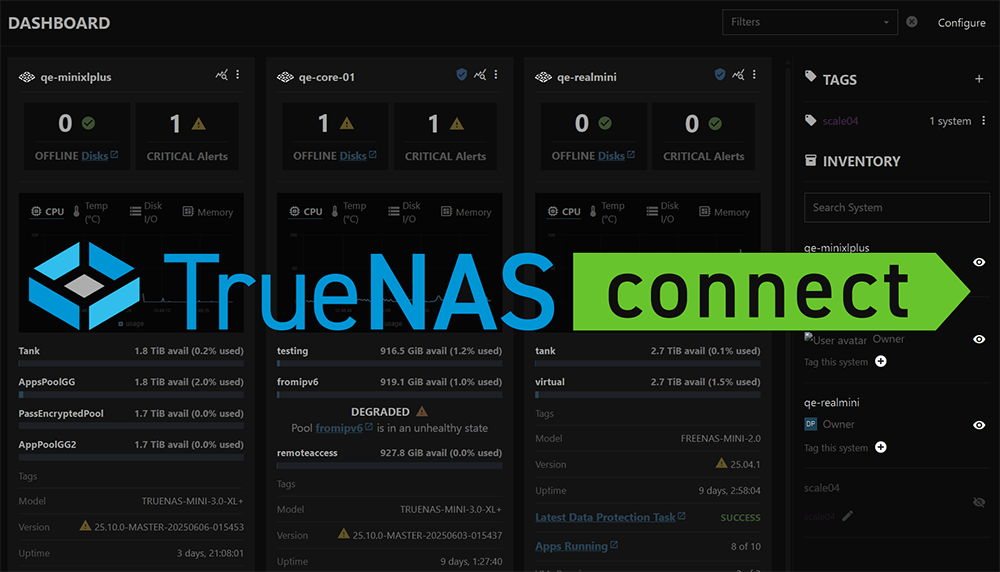
Is TrueNAS Connect right for you?

TrueNAS Connect simplifies TrueNAS software management with a unified web interface for monitoring and controlling your systems. Instead of tracking multiple IP addresses and logging into individual systems, get centralized visibility and convenient control from any device.

Whether you’re managing a single system or overseeing an enterprise deployment across multiple locations, TrueNAS Connect makes it easy with straightforward OAuth authentication, proactive health monitoring with customizable alerts, and comprehensive management capabilities.

Essentials

The main content areas for TrueNAS Connect documentation.

Getting Started

Learn how to get up and running with TrueNAS Connect in just a few simple steps.

Health Reporting

Monitor your system(s) status, alerts, and performance with built-in health features.

TrueNAS Management

Configure, manage, and fine-tune your TrueNAS system(s) through the TrueNAS Connect web interface.

Web Install

Install and set up TrueNAS through the TrueNAS Connect web interface.

Recent Changes

See the latest updates, improvements, and new features added to TrueNAS Connect.

All Documentation

Browse the complete documentation library including tutorials, guides, and reference materials.

Tutorial

Hands-on information for new users or those looking to deepen their knowledge of TrueNAS Connect.

Health Reporting

Monitor your system(s) status, alerts, and performance with built-in health features.

Managing the Keyring

Learn how to create, manage, and use the TrueNAS Connect keyring for secure key storage and automatic system authentication.

Managing TrueNAS Systems Inventory

View and manage hardware information, disk details, and system specifications across all connected TrueNAS systems.

Managing Virtualization

Learn how to view, monitor, and control virtual machines in TrueNAS Connect.

TrueNAS Web Install

Install and set up TrueNAS through the TrueNAS Connect web interface.

Using Replication

Learn how to create tasks, and use TrueNAS Connect Replication.

How-To

Step-by-step guides covering key operations and common tasks in TrueNAS Connect.

Add Notification Tasks

How to configure notification tasks in TrueNAS Connect for proactive monitoring.

Customize Your Account

How to view your profile information and customize your avatar in TrueNAS Connect.

Export Inventory Data

How to export TrueNAS systems inventory data from TrueNAS Connect for reporting, analysis, or record-keeping.

Report Bugs and Provide Feedback

How to submit bug reports and feedback for TrueNAS Connect through the service desk portal.

Use Enclosure Maps

How to use the TrueNAS Connect Enclosures screen for personalized enclosure mapping, planning, and visualization.

Reference

Description of UI screens and fields, including technical information like requirements and specifications in TrueNAS Connect.

Access Screen

Description of the TrueNAS Connect Access screen, settings, and fields.

Applications Screen

Reference guide for the TrueNAS Connect Applications screen interface elements and functionality.

Dashboard Screen

Description of the TrueNAS Connect main Dashboard screen, system cards, tag and inventory quick views, dialogs, and fields.

Enclosures Screen

Reference guide for the TrueNAS Connect Enclosures screen interface elements and functionality.

Historical Data Screen

Description of the TrueNAS Connect Historical Data screen, graphs, dialogs, and fields.

Inventory Screen

Reference guide for the TrueNAS Connect Inventory screen interface elements and functionality.

Keyring Screen

Reference guide for the TrueNAS Connect Keyring screen interface elements and operations.

Notification Tasks Screen

Reference guide for the TrueNAS Connect Notification Tasks screen interface elements and functionality.

Profile Screen

Reference guide for the TrueNAS Connect Profile screen interface elements and functionality.

Replication Screen

Description of the TrueNAS Connect main Replication screen, replication failure, scheduled and network cards.

Tags Screen

Description of the TrueNAS Connect Tags screen, settings, and tag functions.

Top Toolbar

Description of the TrueNAS Connect top toolbar and main menu options.
Authorized TrueNAS Reseller OpenStorageNAS · a division of BlueAlly
Enterprise NAS & Server Hardware TrueNAS · Enterprise Storage Solutions
Expert Pre-Sales Support Call us · 877-352-0547